
White Label
Remove Cool Popup branding and serve your popups under your own brand with custom logos, domains, and SMTP settings.
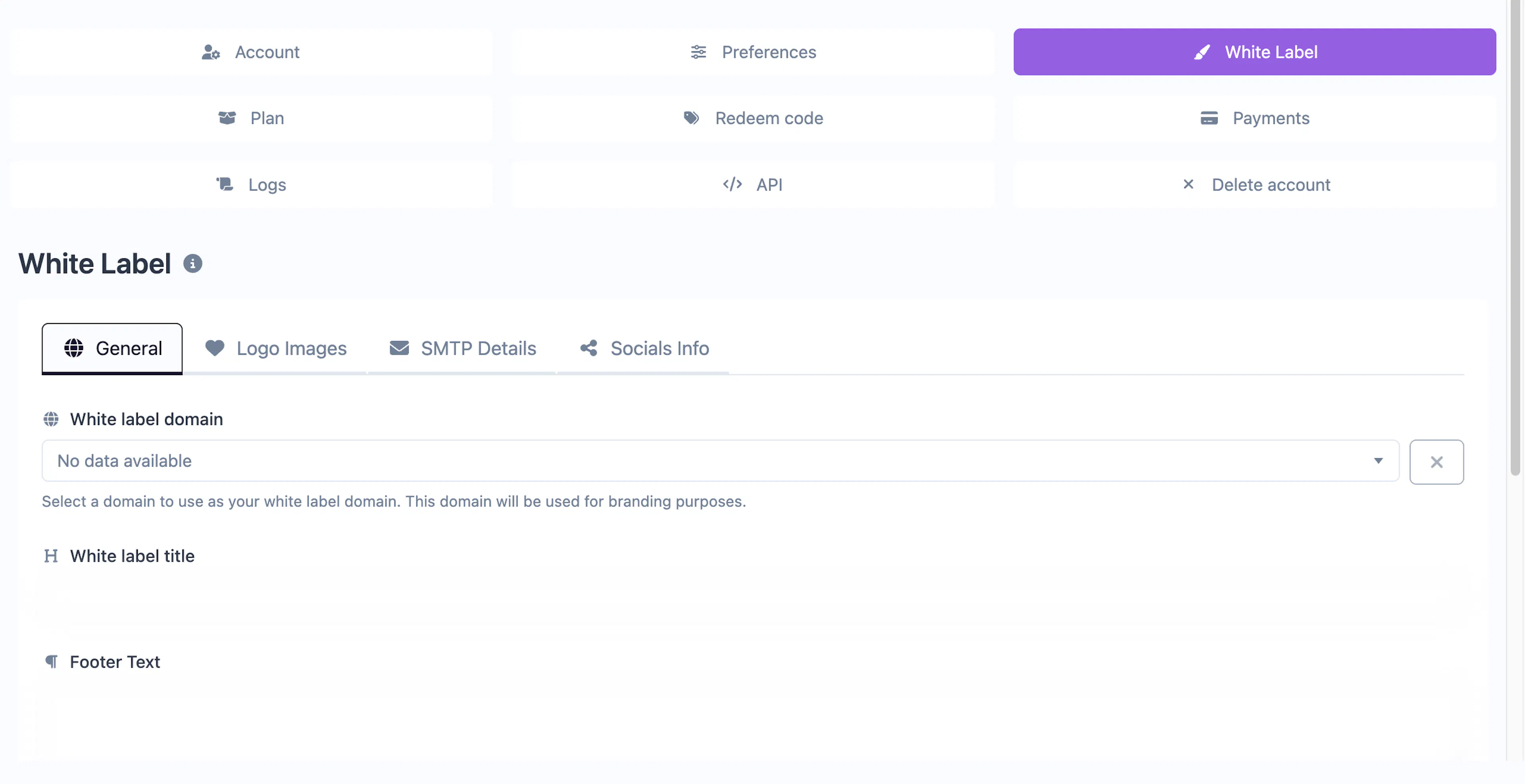
What is white label?
White label lets you rebrand the Cool Popup experience entirely. Your clients and visitors see your branding instead of Cool Popup's — from the notification widgets on their sites to the dashboard URL and email communications.
White label is a premium feature available on select plans. Check the Plans & Pricing page for availability.
Configuration
Navigate to Account → White Label to configure your branding. The settings are organized into four tabs.
General
| Setting | Description |
|---|---|
| White label domain | Select a verified custom domain to use as your white-label URL |
| Title | The name shown in the browser tab and header |
| Footer text | Custom text displayed in the dashboard footer |
Logos
Upload your own logos for the dashboard:
- Light mode logo — Shown when the dashboard is in light mode
- Dark mode logo — Shown when the dashboard is in dark mode
SMTP
Configure a custom email sender so all Cool Popup emails (notifications, reports, password resets) come from your domain:
- SMTP host and port
- Username and password
- Encryption type (TLS/SSL)
- From name and email address
Socials
Set custom social media links that replace Cool Popup's default links in the dashboard footer and email templates.
Requirements
To use white label, you need:
- A verified custom domain
- A plan that includes the white-label feature
- (Optional) An SMTP server for branded email delivery