
Collector Bar
A full-width bar with an input field and submit button for collecting emails or other data.
The Collector Bar is a full-width banner with an inline input field and submit button. It combines the visibility of a bar layout with data collection — ideal for capturing emails, zip codes, or other short inputs. Submissions are stored in the Data tab.
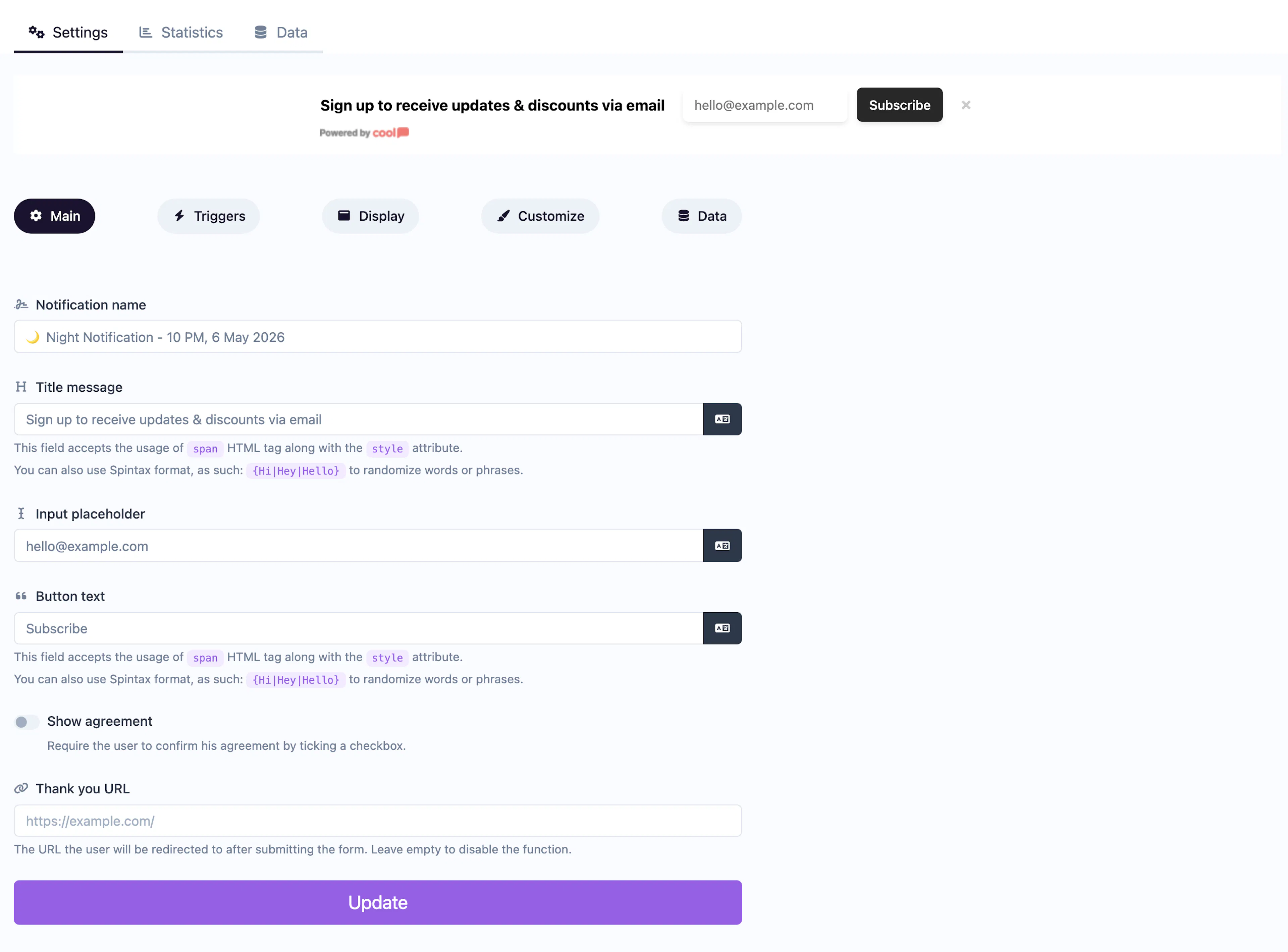
Main tab fields
| Field | Description |
|---|---|
| Notification name | Internal label for your reference. Not shown to visitors. |
| Title message | The text displayed in the bar next to the input. Supports <span> HTML and Spintax. |
| Input placeholder | Placeholder text inside the input field (e.g., "Enter your email"). |
| Button text | Label for the submit button (e.g., "Subscribe", "Go"). |
| Show agreement | Toggle to display a consent checkbox. |
| Agreement text | The consent label text. |
| Agreement URL | Link attached to the agreement text. |
| Thank you URL | URL to redirect visitors to after submission. Leave empty for a default thank-you message. |
Data tab
The Data tab stores all collected submissions with timestamps.
Customize colors
| Color | Description |
|---|---|
| Title color | Text color of the bar message. |
| Background color | Background of the bar. |
| Button background color | Background of the submit button. |
| Button text color | Text color on the submit button. |
For shared settings like triggers, animations, and borders, see the Common Editor Settings reference.
Use cases
- Newsletter bar — Persistent top-of-page email capture.
- Zip code lookup — "Enter your zip to check availability" as a site-wide bar.
- Beta signups — Collect interest across all pages with a slim bar.
For a modal-style collector with more fields, use Collector Modal. For a popup-style email form, use Email Collector.
Was this page helpful?