
Conversions Counter
Display a total count of recent conversions to build trust with an aggregate social proof number.
The Conversions Counter notification shows a single aggregate number representing how many conversions happened within a time window. Instead of cycling through individual activity like the Conversions type, it displays one powerful number — ideal for high-volume sites.
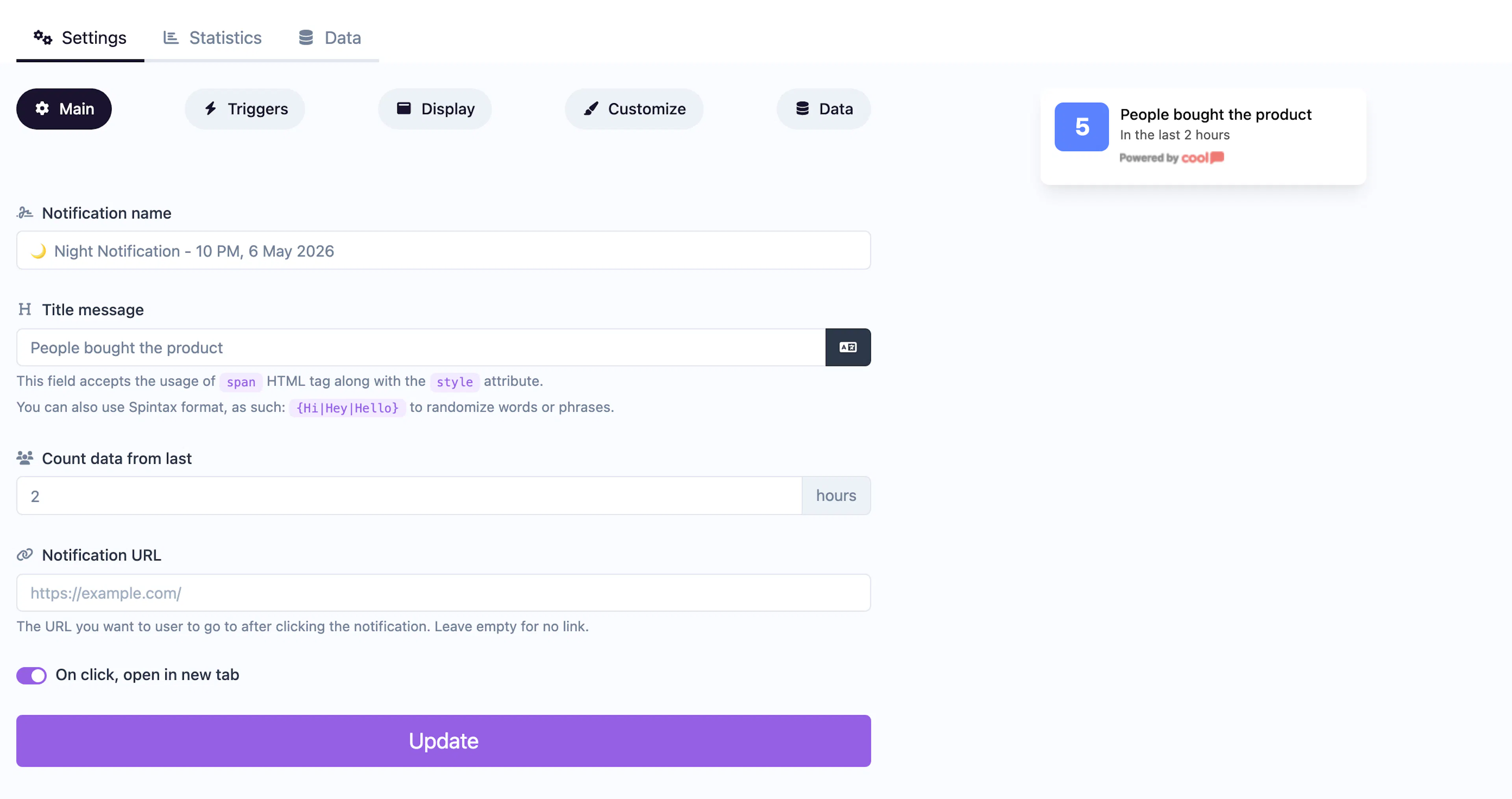
Main tab fields
| Field | Description |
|---|---|
| Notification name | Internal label for your reference. Not shown to visitors. |
| Title message | The text displayed in the notification. Use the {number_of_conversions} placeholder where the count should appear (e.g., "{number_of_conversions} people signed up today"). Supports <span> HTML and Spintax. |
| Last activity (hours) | Time window for counting conversions. Only conversions within this many hours are included in the total. |
| URL | Optional click-through link. |
| Open in new tab | Toggle for the URL behavior. |
Data tab
The Data tab contains your conversion entries. You can add entries manually or configure auto data triggers — URL patterns that automatically capture a conversion when a visitor reaches a specific page.
Display tab extras
In addition to the standard display settings, Conversions Counter adds:
| Field | Description |
|---|---|
| Minimum activity | The notification won't appear unless the conversion count meets this threshold. Avoids showing low numbers that might undermine credibility. |
Customize colors
| Color | Description |
|---|---|
| Number color | Text color of the conversion count number. |
| Number background color | Background behind the number badge. |
| Title color | Text color of the surrounding title. |
| Description color | Text color of the description. |
| Background color | Background of the popup container. |
For shared settings like triggers, display position, animations, and borders, see the Common Editor Settings reference.
Use cases
- High-volume social proof — "1,247 people purchased today" is more impactful than individual entries.
- Signup counters — Show total registrations to build community trust.
- Download milestones — "5,000+ downloads this week" validates your product.
Pair this with a Live Counter notification to show both current visitors and total conversions on the same page.