
Informational
A fully customizable popup with a title, description, image, and optional link. The most flexible notification type.
The Informational notification is a general-purpose popup that displays a title, description, optional image, and an optional click-through link. It's the most versatile type — use it for announcements, welcome messages, promotions, or any message that doesn't need a specific widget like a coupon code or email form.
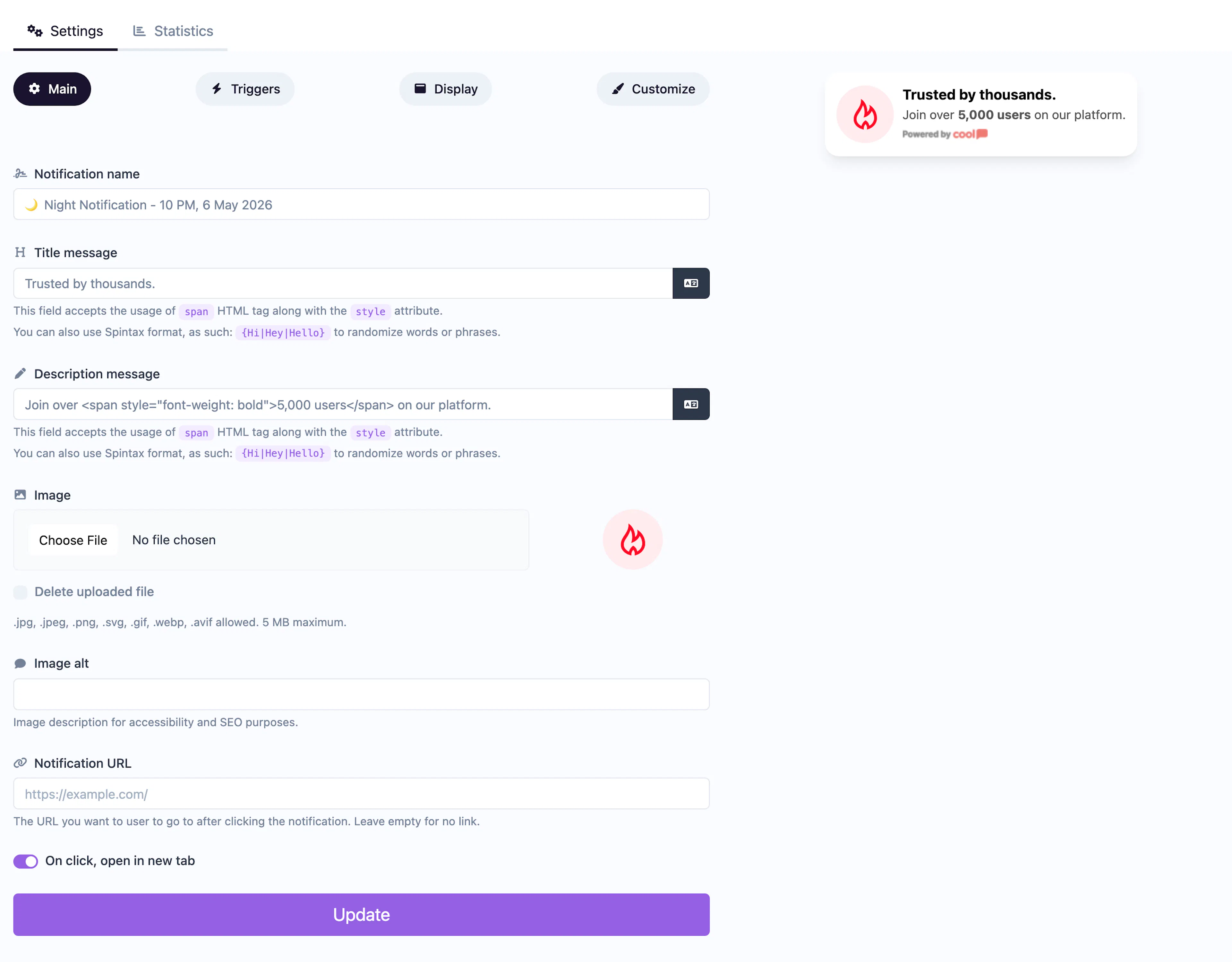
Main tab fields
| Field | Description |
|---|---|
| Notification name | Internal label for your reference. Not shown to visitors. |
| Title message | The headline displayed in the popup. Supports <span> HTML with inline styles for formatting. You can also use Spintax syntax to randomize text. |
| Description message | Supporting text below the title. Same HTML and Spintax support as the title. |
| Image | Upload an image displayed alongside the text. Supports cropping in the editor. |
| Image alt text | Accessibility text for the image. |
| URL | Optional click-through URL. When set, clicking the notification navigates the visitor to this page. |
| Open in new tab | Toggle whether the URL opens in a new browser tab. |
Each text field has a translate button that lets you provide alternate versions for different visitor languages.
Customize colors
| Color | Description |
|---|---|
| Title color | Text color of the title. |
| Description color | Text color of the description. |
| Background color | Background of the popup container. Supports transparency. |
| Close button color | Color of the ✕ dismiss icon. |
| Internal padding | Slider controlling the spacing inside the popup (default 12px). |
| Background blur | Applies a blur effect behind the popup when using a transparent background. |
All colors also have dark mode counterparts in the Dark mode section.
For shared settings like triggers, display position, animations, and borders, see the Common Editor Settings reference.
Use cases
- Welcome messages — Greet first-time visitors with a branded hello.
- Announcements — Notify visitors about new features, maintenance, or events.
- Social proof — Display a static testimonial or trust badge.
- Promotions — Highlight a sale or special offer with a click-through link.
For announcements with a coupon code, use the Coupon type instead — it includes a dedicated copy-to-clipboard code field.