
Social Share
Prompt visitors to share your page on social networks with a customizable set of share buttons.
The Social Share notification displays a set of social media sharing buttons, encouraging visitors to spread the word about your page. You choose which networks to include and the URL to share.
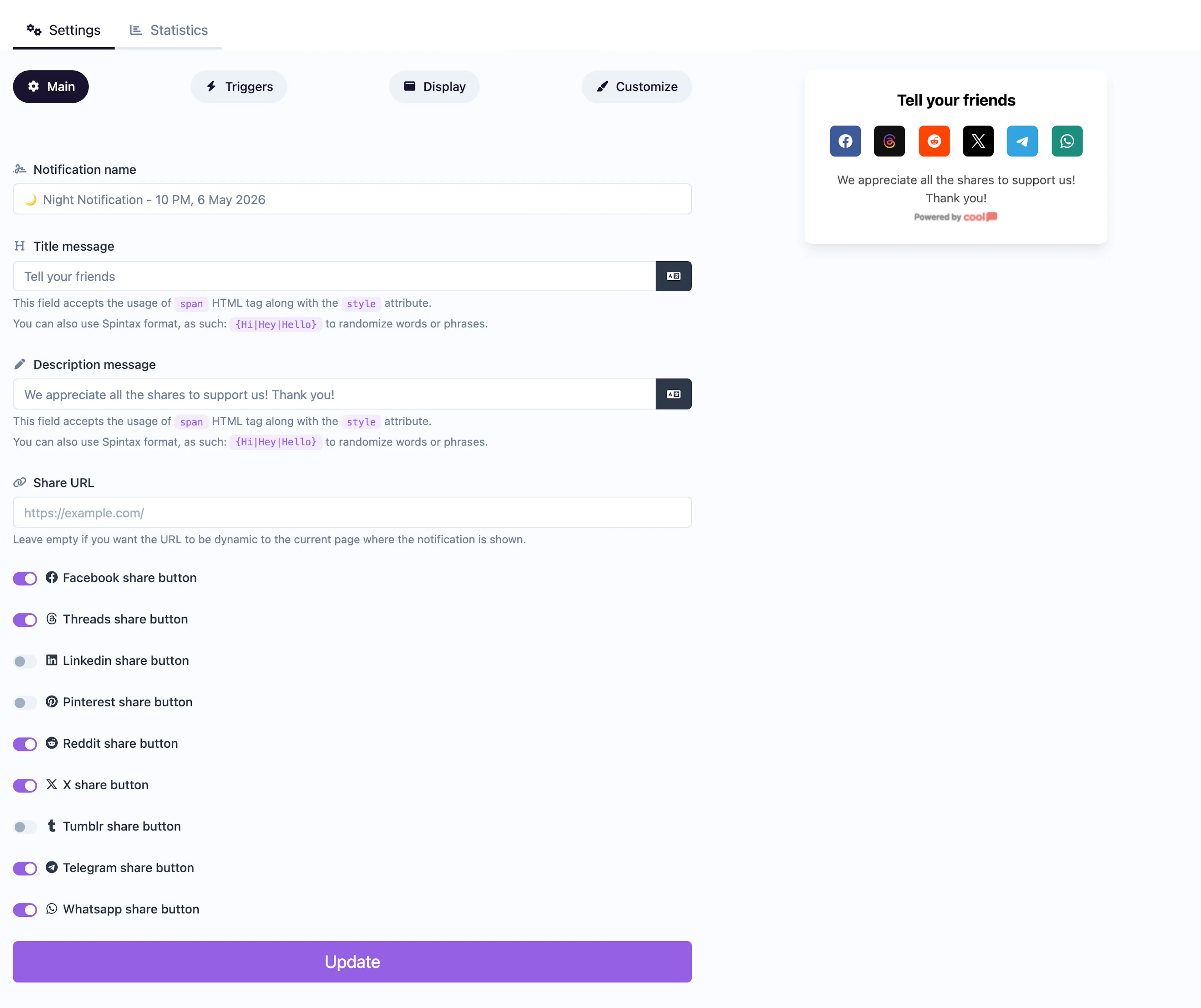
Main tab fields
| Field | Description |
|---|---|
| Notification name | Internal label for your reference. Not shown to visitors. |
| Title message | The headline displayed above the share buttons. Supports <span> HTML and Spintax. |
| Description message | Supporting text below the title. Same HTML and Spintax support. |
| Share URL | The URL that will be shared when visitors click a social button. Defaults to the current page if left empty. |
| Toggle to show the Facebook share button. | |
| Toggle to show the LinkedIn share button. | |
| Toggle to show the Pinterest share button. | |
| Toggle to show the Reddit share button. | |
| Tumblr | Toggle to show the Tumblr share button. |
| X | Toggle to show the X (formerly Twitter) share button. |
| Toggle to show the WhatsApp share button. | |
| Telegram | Toggle to show the Telegram share button. |
| Threads | Toggle to show the Threads share button. |
Customize colors
| Color | Description |
|---|---|
| Title color | Text color of the title. |
| Description color | Text color of the description. |
| Background color | Background of the popup container. |
For shared settings like triggers, display position, animations, and borders, see the Common Editor Settings reference.
Use cases
- Blog posts — Encourage readers to share articles after reading.
- Product launches — Amplify reach by prompting visitors to share new products.
- Referral campaigns — Pair with a discount to incentivize social sharing.
- Event promotion — Let attendees spread the word to their networks.
Set a specific Share URL to control exactly which page gets shared — useful when the notification is displayed on multiple pages but should always share your main landing page.
Was this page helpful?