
Coupon Bar
A full-width bar displaying a coupon code with a copy-to-clipboard action.
The Coupon Bar is a full-width banner version of the Coupon notification. It displays a promotional message with a coupon code across the top or bottom of the page, giving your discount maximum visibility.
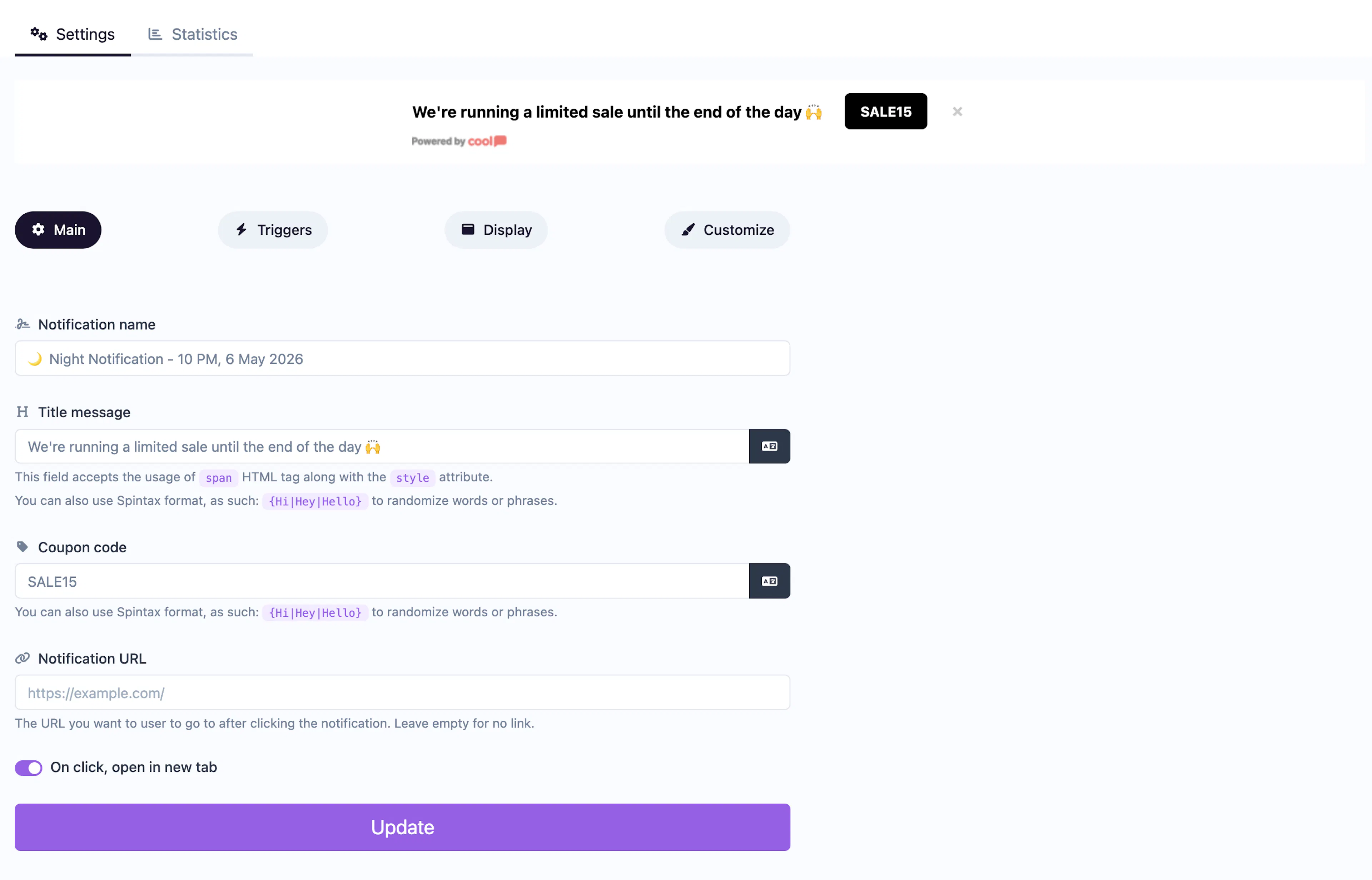
Main tab fields
| Field | Description |
|---|---|
| Notification name | Internal label for your reference. Not shown to visitors. |
| Title message | The promotional text displayed in the bar (e.g., "Use code below for 20% off!"). Supports <span> HTML and Spintax. |
| Coupon code | The discount code displayed in the bar. Visitors can click to copy it to their clipboard. |
| URL | Optional click-through link. |
| Open in new tab | Toggle for the URL behavior. |
Customize colors
| Color | Description |
|---|---|
| Title color | Text color of the promotional message. |
| Coupon code color | Text color of the coupon code. |
| Coupon code background color | Background behind the coupon code. |
| Coupon code border color | Border around the coupon code element. |
| Background color | Background of the bar. |
For shared settings like triggers, animations, and borders, see the Common Editor Settings reference.
Use cases
- Site-wide discounts — Persistent bar showing "SAVE20" across all pages.
- Seasonal promotions — Holiday or flash sale codes visible on every page.
- Welcome offers — First-visit discount code displayed prominently.
For a popup-style coupon instead of a full-width bar, use the standard Coupon type.
Was this page helpful?