
Cookie Notification
Display a cookie consent banner with a learn-more link and accept button.
The Cookie Notification displays a consent banner informing visitors about your cookie usage. It includes a description, optional image, a "learn more" link to your cookie policy, and an accept button.
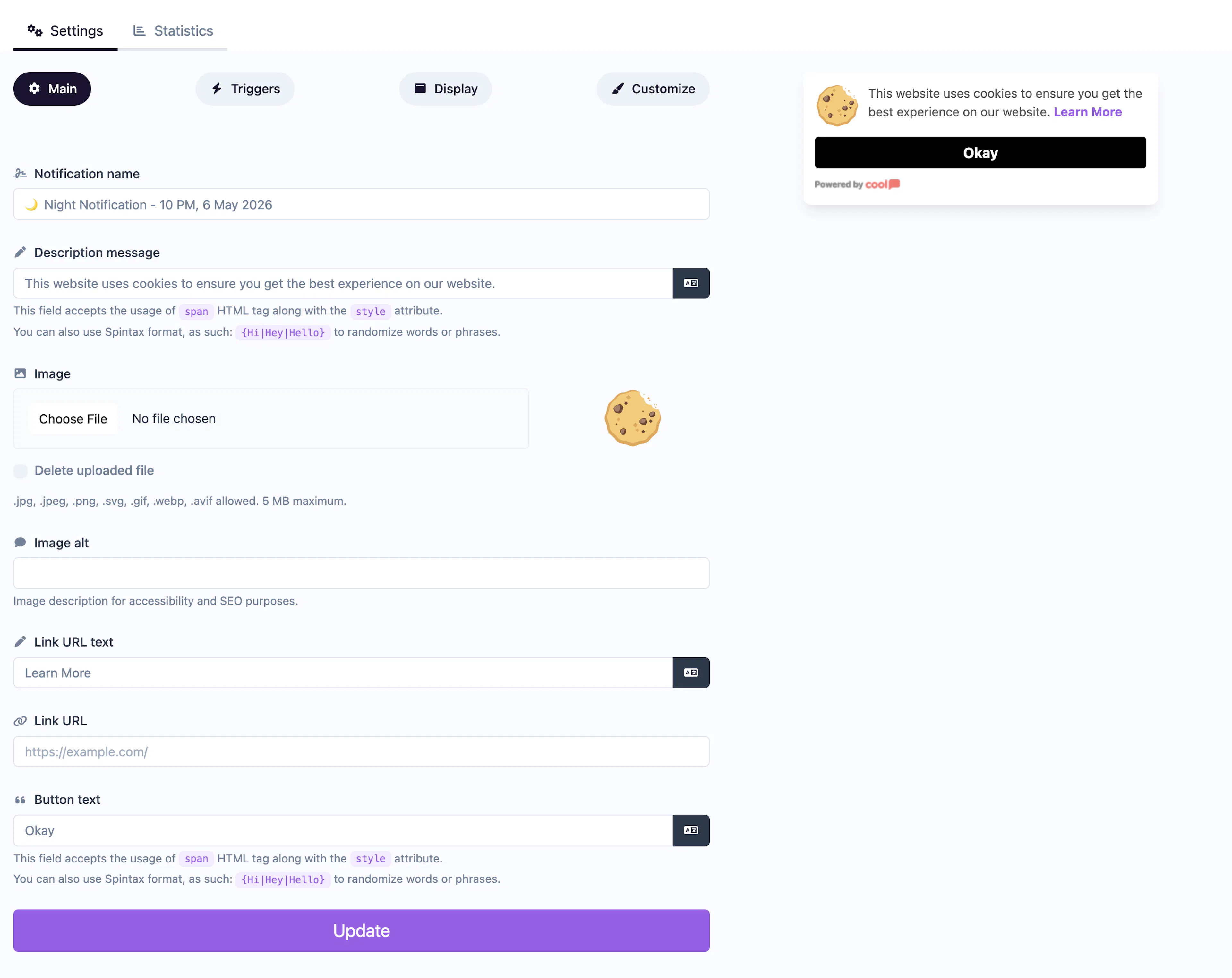
Main tab fields
| Field | Description |
|---|---|
| Notification name | Internal label for your reference. Not shown to visitors. |
| Description message | The consent message explaining your cookie usage (e.g., "This site uses cookies to improve your experience."). Supports <span> HTML and Spintax. |
| Image | Optional image displayed alongside the message (e.g., a cookie icon). |
| Image alt text | Accessibility text for the image. |
| Link text | Text for the learn-more link (e.g., "Learn more", "Cookie Policy"). |
| URL | Link to your full cookie or privacy policy page. |
| Open in new tab | Toggle for the URL behavior. |
| Button text | Label for the accept button (e.g., "Got it", "Accept"). |
Customize colors
| Color | Description |
|---|---|
| Description color | Text color of the consent message. |
| Background color | Background of the popup container. |
| Button background color | Background of the accept button. |
| Button text color | Text color on the accept button. |
For shared settings like triggers, display position, animations, and borders, see the Common Editor Settings reference.
Use cases
- GDPR compliance — Inform EU visitors about cookie usage and obtain consent.
- Privacy transparency — Show a non-intrusive consent banner on all pages.
- First-visit notice — Display once per visitor using trigger rules.
Use the display trigger settings to show this notification only once per visitor and auto-dismiss after acceptance.
Was this page helpful?