
Coupon
Display a promotional coupon code with a copy button, call-to-action, and optional image.
The Coupon notification displays a promotional message with a coupon code that visitors can copy to their clipboard. It includes a call-to-action button that can link to your store or checkout page.
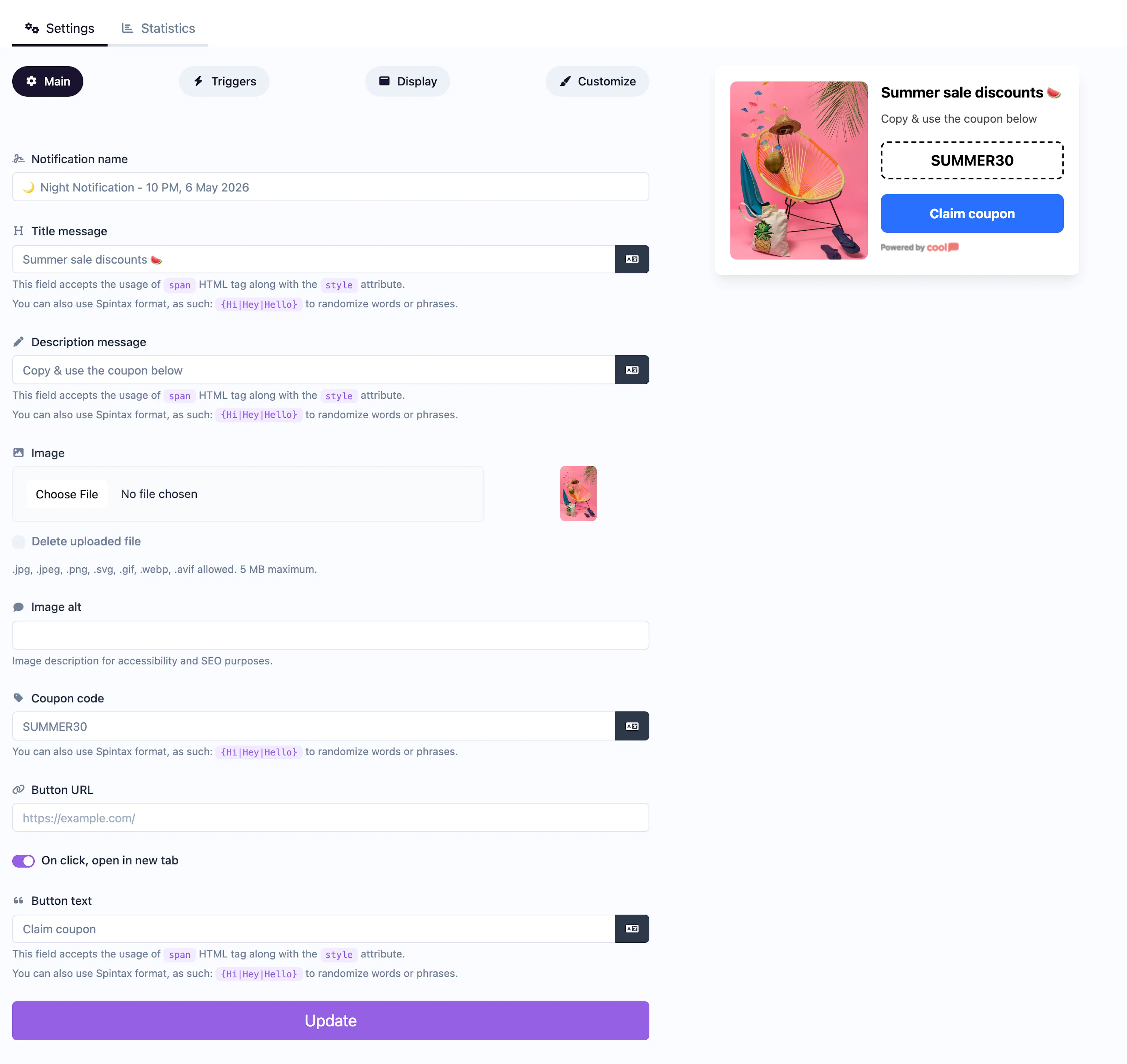
Main tab fields
All fields from the Informational type are available, plus:
| Field | Description |
|---|---|
| Coupon code | The discount code displayed in the popup. Visitors can click to copy it. |
| Button text | Label for the call-to-action button (e.g., "Shop Now", "Claim Offer"). |
| Button URL | Where the button links to. |
Customize colors
Includes all standard colors (title, description, background, close button) plus:
| Color | Description |
|---|---|
| Button background color | Background of the CTA button. |
| Button text color | Text color of the CTA button. |
For shared settings, see Common Editor Settings.
Use cases
- Flash sales — Show a time-limited discount code on product pages.
- Welcome offers — Give first-time visitors a signup incentive.
- Exit intent deals — Trigger a coupon when visitors are about to leave.
Was this page helpful?