
Live Counter
Show a real-time count of visitors currently on your site to build urgency and trust.
The Live Counter notification displays the number of visitors currently active on your site. It creates urgency and social proof by showing that real people are browsing right now.
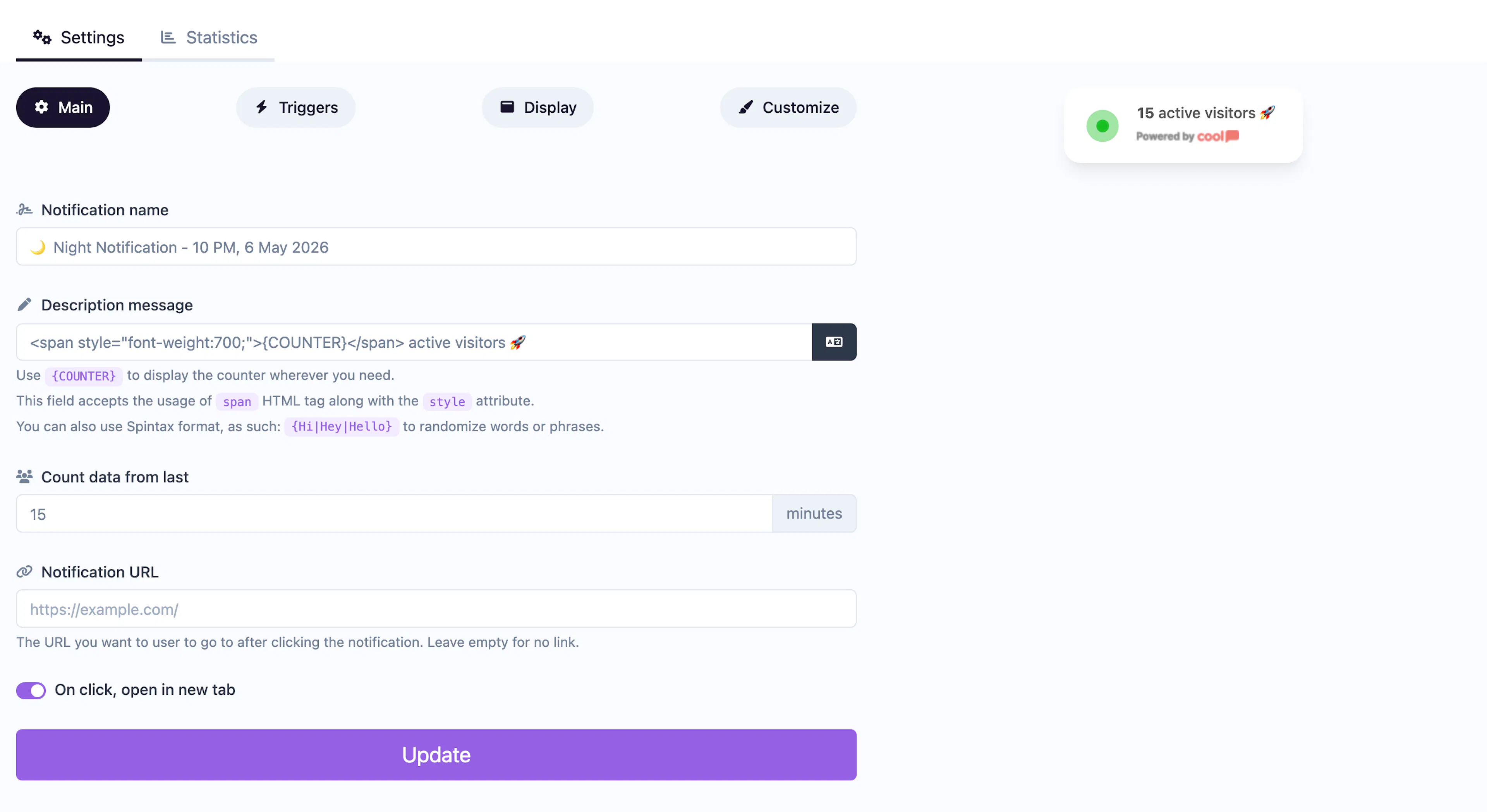
Main tab fields
| Field | Description |
|---|---|
| Notification name | Internal label. Not shown to visitors. |
| Description message | The text around the counter. Use the {number_of_visitors} placeholder where the live count should appear. Example: {number_of_visitors} people are viewing this page right now. |
| Last activity (minutes) | Time window for counting "active" visitors. A visitor is counted if they loaded a page within this many minutes. |
| URL | Optional click-through link. |
| Open in new tab | Toggle for the URL behavior. |
Display tab extras
In addition to the standard display settings, Live Counter adds:
| Field | Description |
|---|---|
| Minimum activity | The notification won't appear unless the visitor count meets this threshold. Prevents showing "0 people are viewing" on low-traffic pages. |
Customize colors
| Color | Description |
|---|---|
| Number color | Text color of the visitor count. |
| Number background color | Background behind the number badge. |
| Description color | Text color of the surrounding description. |
| Background color | Background of the popup container. |
| Pulse background color | Color of the animated pulse dot that indicates "live" status. |
For shared settings, see Common Editor Settings.
Use cases
- Product pages — "12 people are looking at this product" drives purchase urgency.
- Limited availability — Pair with a "low stock" message for scarcity marketing.
- Event pages — Show interest levels for upcoming webinars or launches.
Was this page helpful?