
Contact Us
Display multiple contact channels — email, phone, WhatsApp, Telegram, and Messenger — in a single popup.
The Contact Us notification displays a popup with multiple contact methods, letting visitors choose their preferred channel. Each channel is optional — enable only the ones you use.
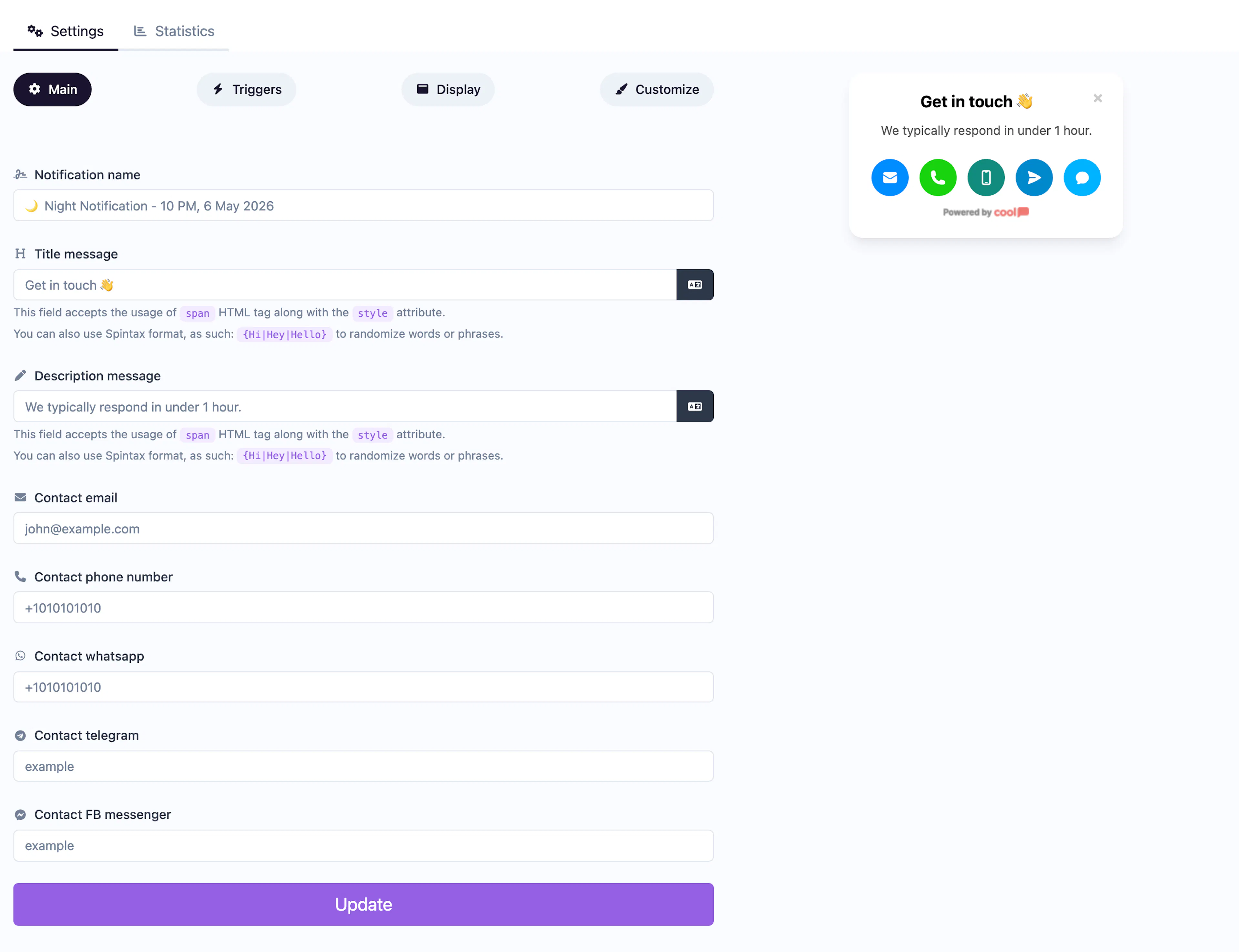
Main tab fields
| Field | Description |
|---|---|
| Notification name | Internal label for your reference. Not shown to visitors. |
| Title message | The headline displayed at the top (e.g., "Get in Touch"). Supports <span> HTML and Spintax. |
| Description message | Supporting text below the title. Same HTML and Spintax support. |
| Your contact email address. Clicking opens the visitor's email client. | |
| Phone number | Your phone number. Clicking initiates a call on mobile devices. |
| Telegram | Your Telegram handle or link. |
| Your WhatsApp number (include country code). | |
| Facebook Messenger | Your Facebook Messenger link or page. |
Customize colors
| Color | Description |
|---|---|
| Title color | Text color of the title. |
| Description color | Text color of the description. |
| Background color | Background of the popup container. |
For shared settings like triggers, display position, animations, and borders, see the Common Editor Settings reference.
Use cases
- Multi-channel support — Let customers reach you via their preferred platform.
- Sales inquiries — Offer multiple ways to start a sales conversation.
- Service businesses — Display all contact options for booking appointments.
- International teams — Offer WhatsApp and Telegram for global audiences, email for formal inquiries.
For a dedicated WhatsApp chat experience with an agent profile, use the WhatsApp Chat type instead.
Was this page helpful?