
Informational Bar
A full-width banner displayed at the top or bottom of the page for announcements and promotions.
The Informational Bar is a full-width banner version of the Informational notification. It spans the entire width of the browser at the top or bottom of the page — ideal for site-wide announcements, promotions, or important notices that need maximum visibility.
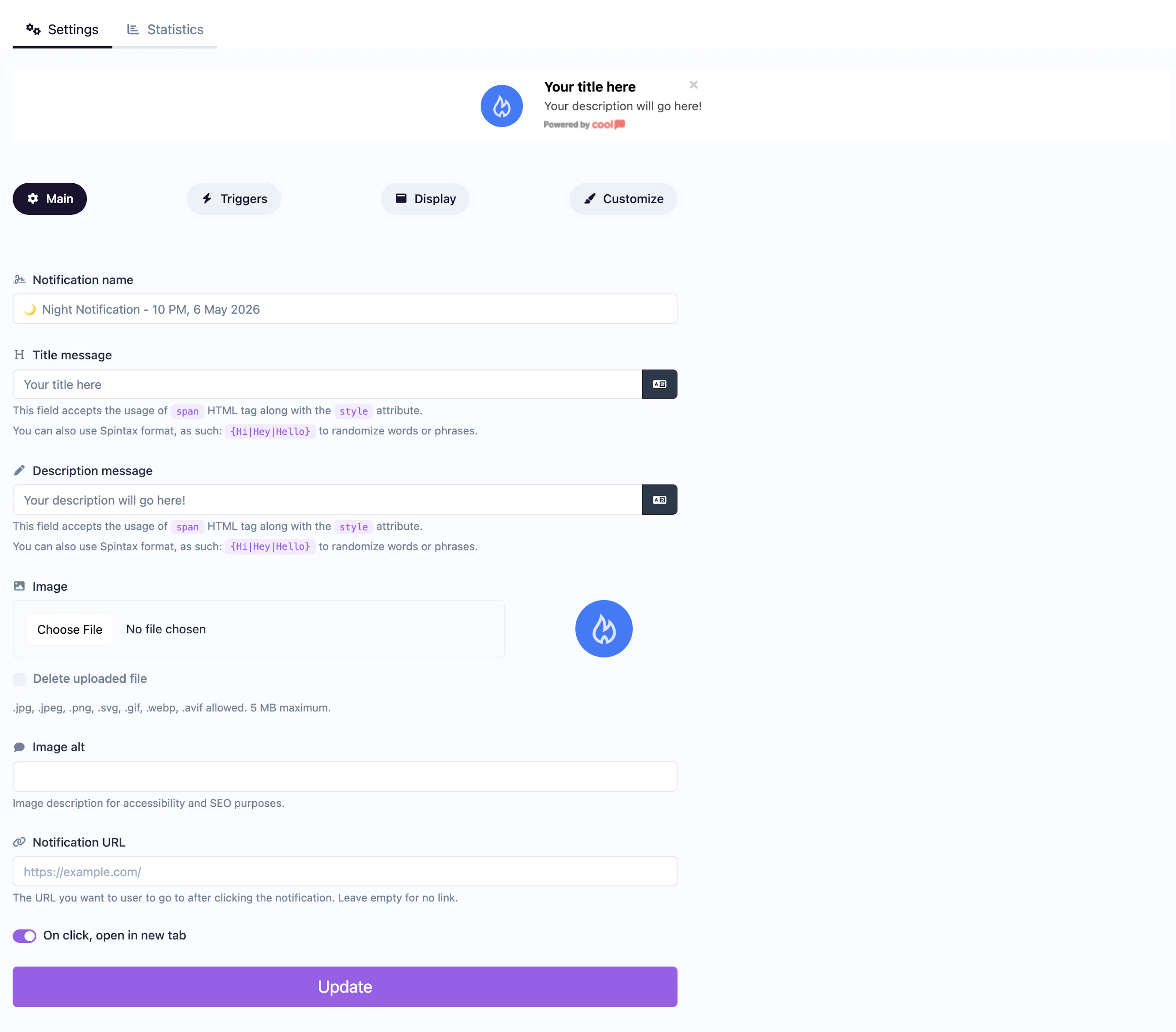
Main tab fields
| Field | Description |
|---|---|
| Notification name | Internal label for your reference. Not shown to visitors. |
| Title message | The headline displayed in the bar. Supports <span> HTML with inline styles and Spintax. |
| Description message | Supporting text next to or below the title. Same HTML and Spintax support. |
| Image | Optional image displayed alongside the text. |
| Image alt text | Accessibility text for the image. |
| URL | Optional click-through URL for the entire bar. |
| Open in new tab | Toggle for the URL behavior. |
Customize colors
| Color | Description |
|---|---|
| Title color | Text color of the title. |
| Description color | Text color of the description. |
| Background color | Background of the bar. |
| Close button color | Color of the ✕ dismiss icon. |
For shared settings like triggers, animations, and borders, see the Common Editor Settings reference.
Use cases
- Site-wide announcements — "We're undergoing maintenance tonight" across all pages.
- Shipping promotions — "Free shipping on orders over $50" as a persistent top bar.
- Event banners — Promote an upcoming sale or launch at the top of every page.
For a more compact bar, use the Informational Bar Mini type.
Was this page helpful?