
Reviews
Cycle through customer reviews with star ratings to build trust and social proof.
The Reviews notification cycles through customer reviews, each with a title, description, optional image, and star rating. Reviews are entered in the Data tab and displayed one at a time in a rotating sequence.
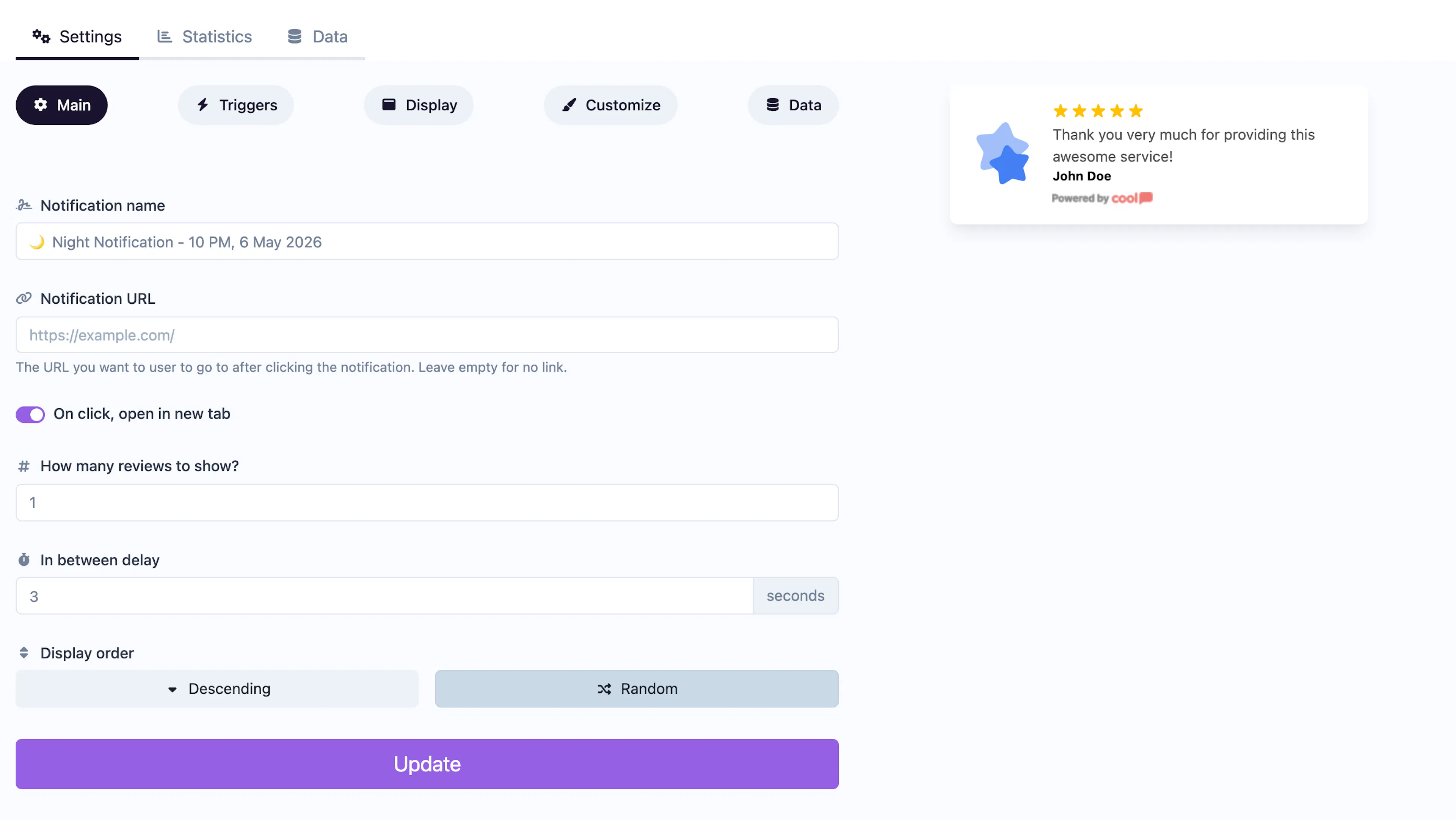
Main tab fields
| Field | Description |
|---|---|
| Notification name | Internal label for your reference. Not shown to visitors. |
| URL | Optional click-through link (e.g., to your reviews page). |
| Open in new tab | Toggle for the URL behavior. |
| Reviews count | How many reviews to cycle through per session. |
| In-between delay | Seconds to wait between showing different reviews. |
| Order | Display order for reviews: Descending (newest first) or Random. |
Data tab
The Data tab stores your review entries. Each review includes:
- Title — The reviewer's name or review headline.
- Description — The review text.
- Image — An optional reviewer photo or avatar.
- Stars — A star rating (1–5).
Customize colors
| Color | Description |
|---|---|
| Title color | Text color of the review title. |
| Description color | Text color of the review body. |
| Background color | Background of the popup container. |
For shared settings like triggers, display position, animations, and borders, see the Common Editor Settings reference.
Use cases
- Product pages — Show rotating customer reviews alongside product details.
- Landing pages — Build credibility with testimonials for first-time visitors.
- Service pages — Display client feedback to support purchasing decisions.
For a single-conversion social proof approach, use the Conversions type. Reviews works best when you have multiple testimonials to rotate through.
Was this page helpful?