
Custom HTML
Insert fully custom HTML, CSS, and JavaScript into a popup for complete creative control.
The Custom HTML notification gives you complete control over the popup content. Instead of structured fields like title and description, you write raw HTML (up to 16,000 characters) that renders directly inside the popup container. This is for advanced users who need full design freedom.
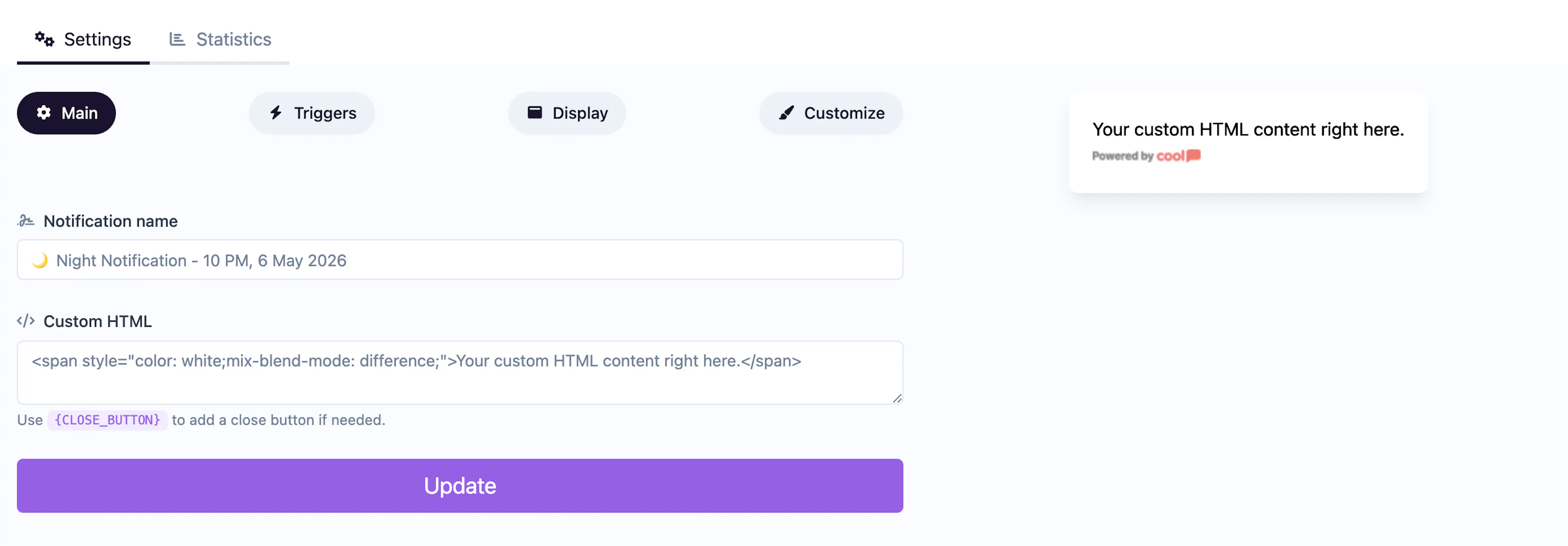
Main tab fields
| Field | Description |
|---|---|
| Notification name | Internal label for your reference. Not shown to visitors. |
| HTML | A large textarea where you enter your custom HTML, CSS, and JavaScript. Maximum 16,000 characters. Your code renders inside the popup container. |
There are no title, description, or image fields — everything is controlled through your HTML.
Display tab
The Custom HTML type overrides the standard display settings with its own position grid, allowing you to place the popup precisely on the page.
Customize colors
| Color | Description |
|---|---|
| Background color | Background of the popup container that wraps your HTML. |
Minimal color options since all styling can be handled within your custom HTML/CSS.
For shared settings like triggers and animations, see the Common Editor Settings reference.
Use cases
- Custom forms — Build complex multi-step forms not possible with standard types.
- Interactive widgets — Embed calculators, quizzes, or mini-apps.
- Brand-specific designs — Create pixel-perfect popups matching your exact brand guidelines.
- Third-party embeds — Insert widgets from other services inside a Cool Popup container.
Custom HTML runs inside your visitors' browsers. Ensure your code is secure and doesn't include untrusted third-party scripts. Test thoroughly before going live.