
Score Feedback
Collect visitor feedback with a numeric score rating and optional redirect.
The Score Feedback notification asks visitors to rate their experience on a numeric scale. It's a quick way to collect quantitative feedback with a clean, button-based interface.
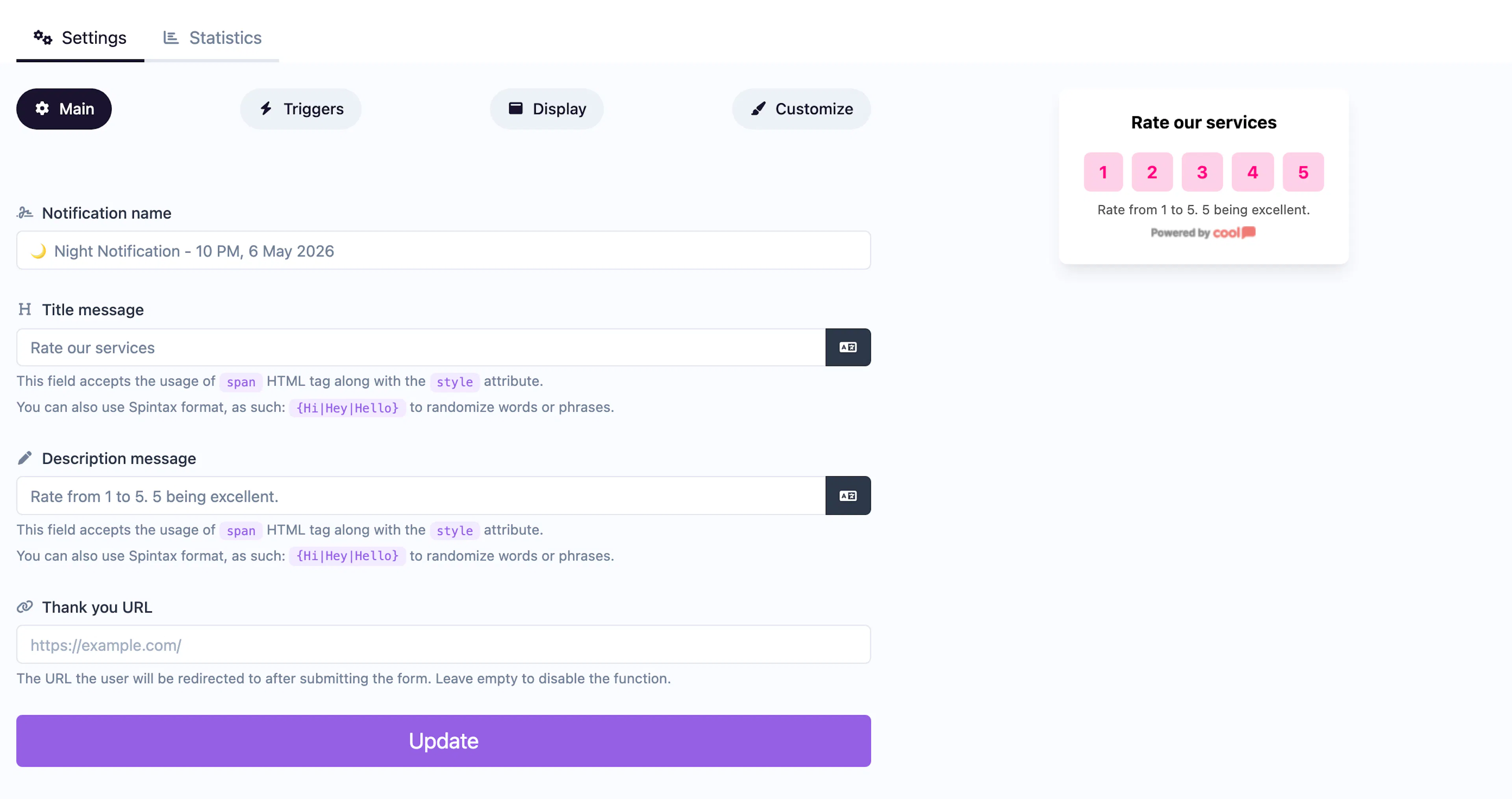
Main tab fields
| Field | Description |
|---|---|
| Notification name | Internal label for your reference. Not shown to visitors. |
| Title message | The question displayed above the score buttons (e.g., "How likely are you to recommend us?"). Supports <span> HTML and Spintax. |
| Description message | Supporting text below the title. Same HTML and Spintax support. |
| Thank you URL | URL to redirect visitors to after they submit a score. Leave empty for a default thank-you message. |
Customize colors
| Color | Description |
|---|---|
| Title color | Text color of the title/question. |
| Description color | Text color of the description. |
| Background color | Background of the popup container. |
| Button background color | Background of the score buttons. |
| Button text color | Text color on the score buttons. |
For shared settings like triggers, display position, animations, and borders, see the Common Editor Settings reference.
Use cases
- NPS surveys — "On a scale of 1–10, how likely are you to recommend us?"
- Product satisfaction — Collect a quick rating after purchase.
- Support quality — Rate a help article or support interaction.
For emoji-based sentiment instead of numeric scores, use the Emoji Feedback type. For open-ended written feedback, use Text Feedback.
Was this page helpful?