
Video
Embed a video player in a popup with autoplay, loop controls, and an optional call-to-action button.
The Video notification embeds a video player directly inside a popup. Use it to play product demos, testimonials, tutorials, or promotional clips without navigating visitors away from your page.
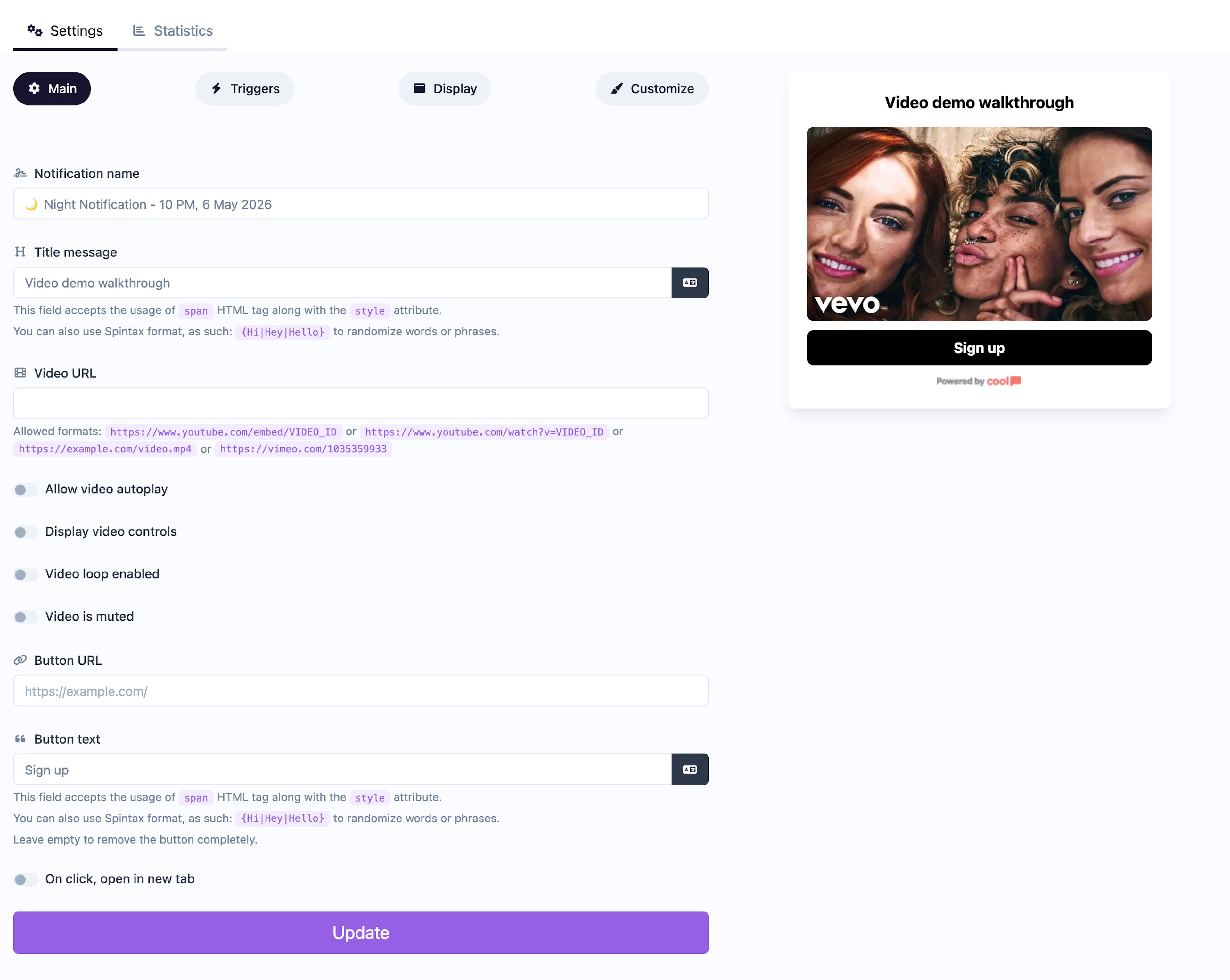
Main tab fields
| Field | Description |
|---|---|
| Notification name | Internal label for your reference. Not shown to visitors. |
| Title message | The headline displayed above the video player. Supports <span> HTML and Spintax. |
| Video URL | The URL of the video to embed (e.g., an MP4 file or hosted video link). |
| Autoplay | Toggle to start playing the video automatically when the notification appears. |
| Controls | Toggle to show the video player controls (play, pause, seek, volume). |
| Loop | Toggle to loop the video continuously. |
| Muted | Toggle to mute the video by default. Required for autoplay in most browsers. |
| Button text | Label for an optional call-to-action button below the video (e.g., "Learn More"). |
| Button URL | Where the CTA button links to. |
| Open in new tab | Toggle for the button URL behavior. |
Customize colors
| Color | Description |
|---|---|
| Title color | Text color of the title. |
| Background color | Background of the popup container. |
| Button background color | Background of the CTA button. |
| Button text color | Text color on the CTA button. |
For shared settings like triggers, display position, animations, and borders, see the Common Editor Settings reference.
Use cases
- Product demos — Show a quick walkthrough of your product in action.
- Video testimonials — Play a customer review directly on your landing page.
- Onboarding tips — Greet new users with a short tutorial video.
- Promotional clips — Highlight a sale or event with an engaging video.
For audio-only content, use the Audio type instead. If autoplay is enabled, muting the video is recommended — most browsers block unmuted autoplay.
Was this page helpful?